Non-technical AI builder & coach

I build with AI.
No code. No gurus.

I’m Lokesh, a non-technical builder. I create AI systems, automations and websites for businesses. In my newsletter, I turn important AI news, tools and tutorials into practical guidance you can use all week.

My story
Lokesh outdoors, resting his chin on his hand and smiling slightly off-camera, in soft overcast daylight.

My story

Before 2022

I was already building without code.

I made logos, slides, banners and marketing funnels. I also built chatbots where every reply and every path had to be planned in advance. I didn’t know how to code. I kept finding tools that helped me turn an idea into something people could use.
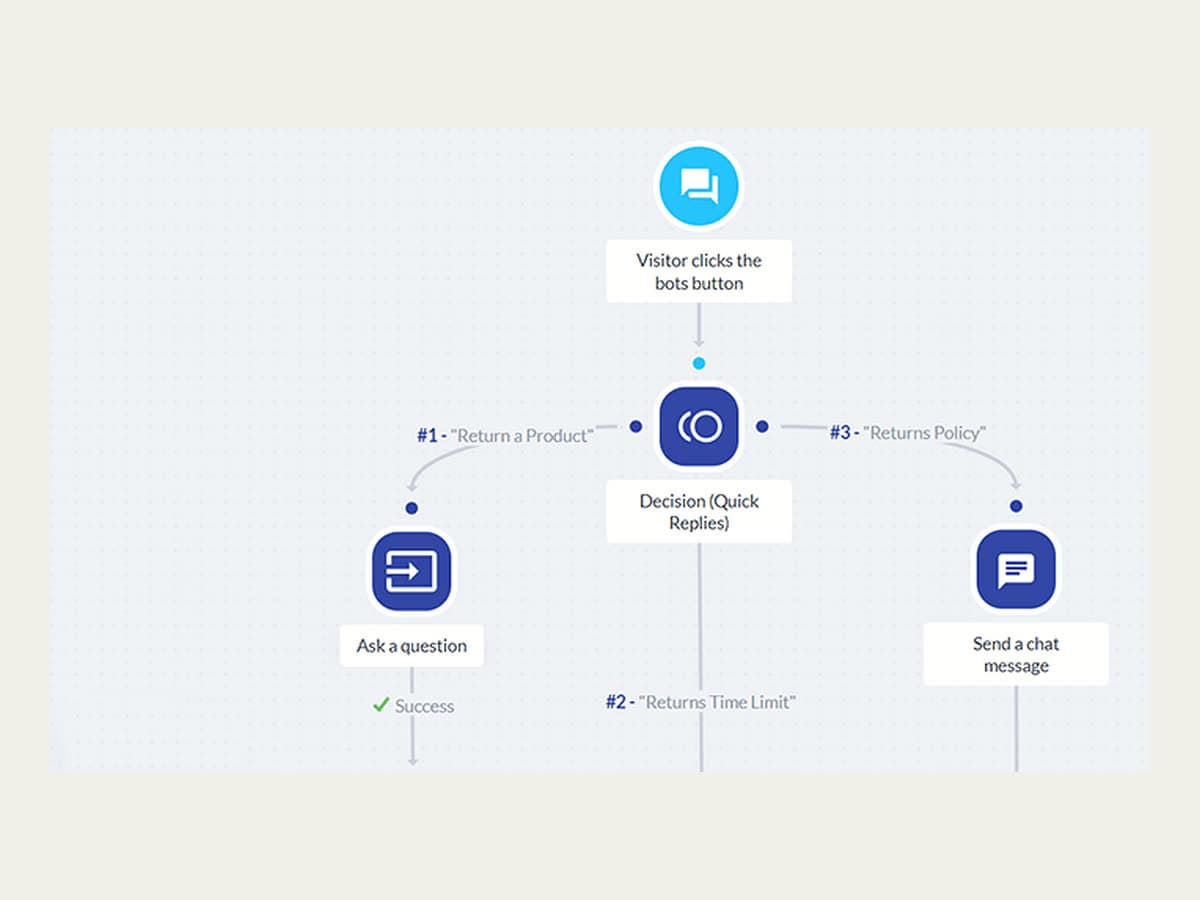
A chatbot builder canvas: a visitor’s click branches through a quick-reply decision node into three pre-planned replies.

2022–2025

One conversation became many useful moments

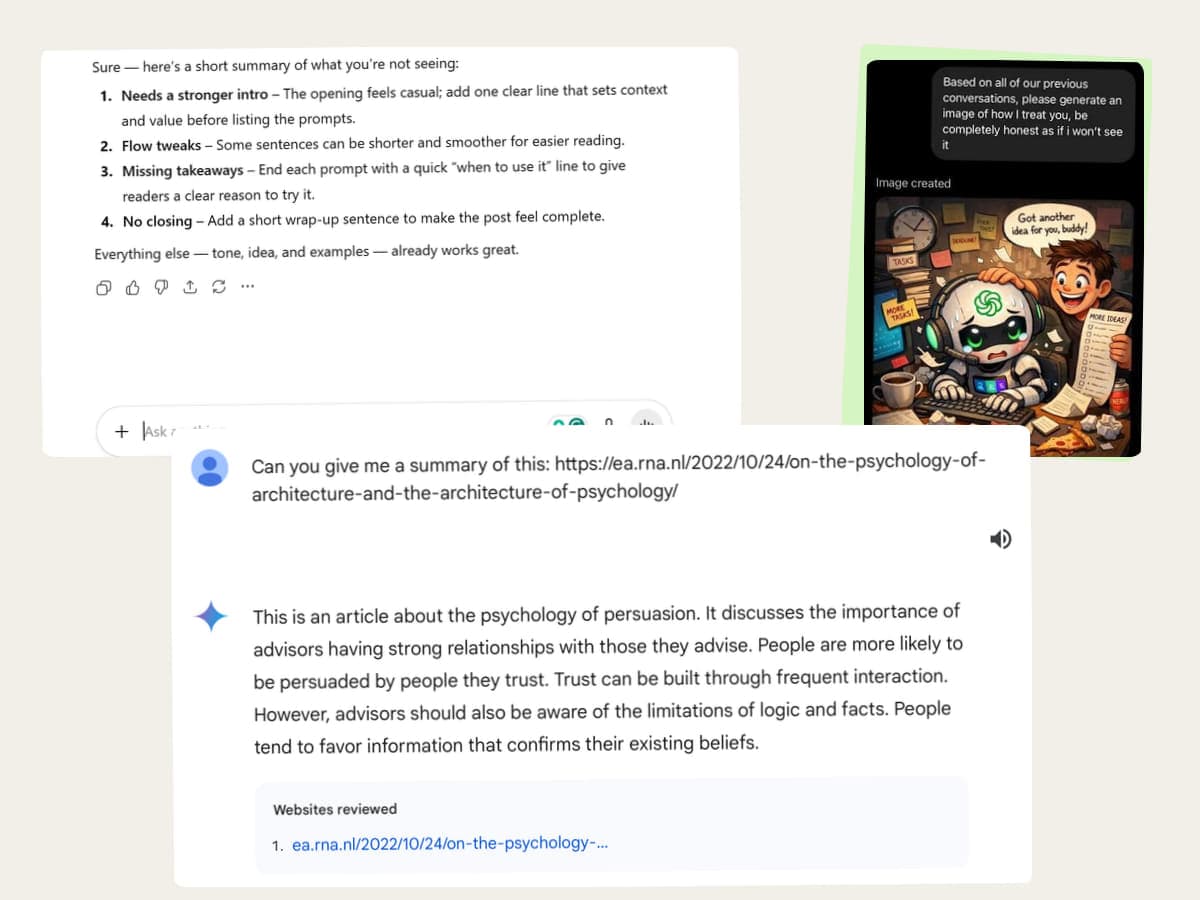
ChatGPT began with a simple shock: I could talk to a computer without choosing from predefined branches. Then the uses became ordinary in the best way — brainstorming an idea, researching a question, improving a draft, generating an image, summarizing a file, or making something I could share.

Some uses took five minutes. Others grew into websites, reusable skills, and workflows. They all began the same way: one real thing I wanted help with.

Three real AI conversations laid out as a contact sheet: written feedback on a draft, a generated illustration, and a summary of a linked article.

2026–Today

Chat for a conversation. Work or Cowork for a handoff.

I stay in Chat when I want to think with AI: drafting, asking a quick question, or arguing an idea through. I open Work or Cowork when I want to hand over a bounded job and get a checked file back.

The tools overlap. Chat can read files, and Work and Cowork can hold a conversation. The rule is about how I want to work, and it tells me where to start.

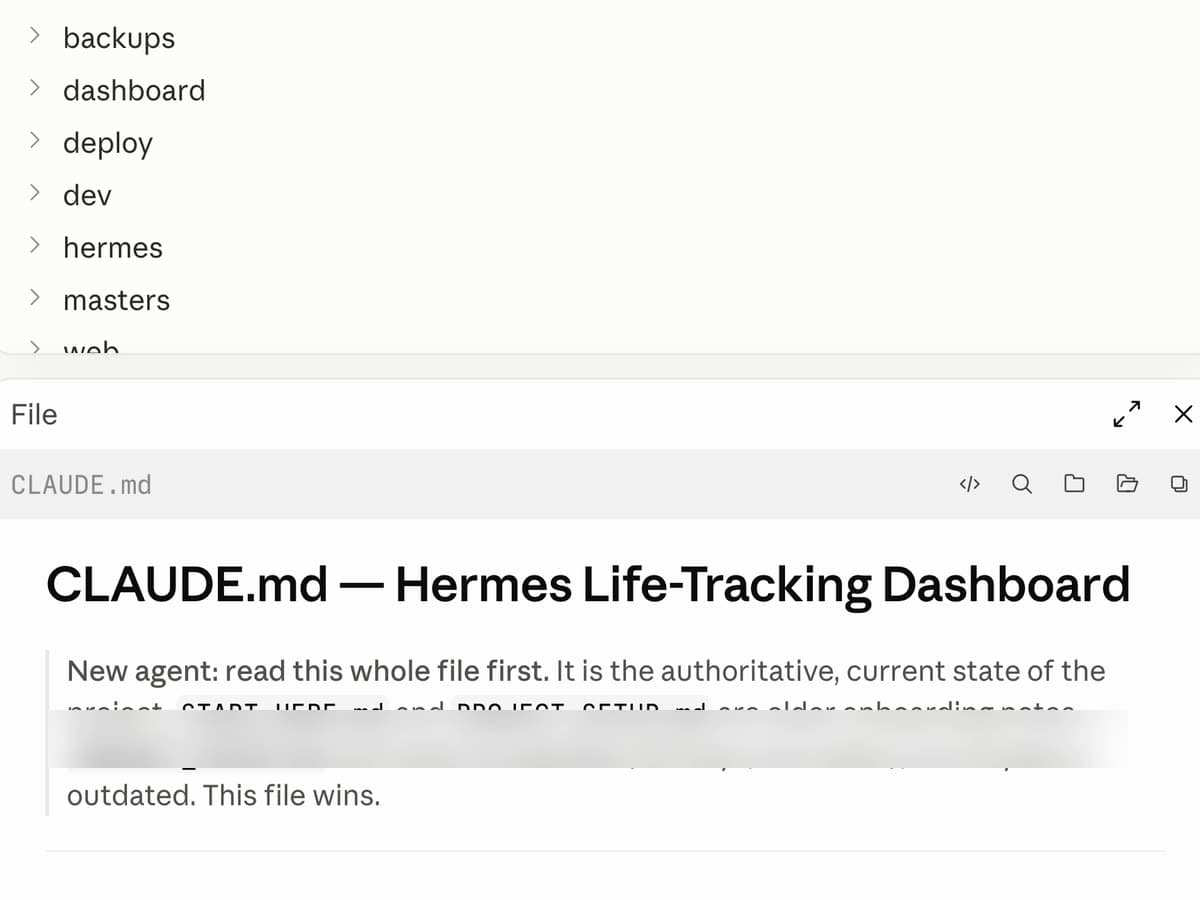
A real project folder tree above an open CLAUDE.md handoff file telling the next AI to read it first as the authoritative state of the project; one private setup line is blurred.
Read the full story

The Loop

Stop starting from zero.

I didn’t sit down to create a system. It began with a Mac desktop buried in screenshots.

My folders were cluttered, the machine felt slow and deleting everything was not an option because some files still mattered. So I asked a desktop AI agent to organize what was already there.

It separated screenshots, documents, PDFs and disposable clutter. Then I changed where new screenshots and screen recordings were saved, so the same mess would not return.

I asked the agent to map the new folder structure into a simple PDF I could bring into a new chat. Later, that map became the context for a scheduled Sunday cleanup of my Documents folder.

I wasn’t cleaning the same mess again. I had turned one frustrating task into a system.

  1. 01

    Bring one real mess

    I started with the thing frustrating me every day: screenshots and loose files scattered across my Mac.

  2. 02

    Let AI organize carefully

    I asked a desktop AI agent to separate useful screenshots, documents and PDFs from files I no longer needed.

  3. 03

    Fix where the mess begins

    I changed the default capture destination so new screenshots and recordings went straight into one Documents folder.

  4. 04

    Save the context

    I had the agent make a simple map of the folder structure that I could carry into a fresh AI chat.

  5. 05

    Schedule what repeats

    That saved map became the instruction set for a cleanup of my Documents folder every Sunday.

Bring one real task. Let AI help solve it. Preserve the decisions, improve the system and automate what repeats.

The task changes. The Loop stays.

A thought I’m still figuring out

I bring AI an unfinished idea and let it ask questions until the thought becomes clearer.

Brainstorming · Decisions · Research

An image I can see but can’t fully describe

I create a first version, react to what is actually there and carry the useful visual choices into the next attempt.

Images · Concepts · Creative direction

A website I want to exist

I explain the outcome, let AI uncover the decisions I haven’t made, test what it builds and keep the parts that should stay consistent.

Pages · Components · Websites

Work I know I’ll need again

When a process works, I save the context, instructions and checks behind it. A useful conversation can become a reusable skill, scheduled task or workflow.

Files · Content · Client work · Systems

One project, more than one AI

Claude Code, ChatGPT Work and Cowork can work separately or hand work to each other inside the same project. Shared files carry the decisions forward.

Projects · Context · Skills · AI collaboration

From a brainstorm or image to a website or working system, every turn leaves something useful behind.

Watch one get built

One messy desktop. One lasting system.

LokeshMy desktop is buried in screenshots. Some matter, some don’t. Can you organize it without losing the useful ones?

AII’ll separate screenshots, documents, PDFs and obvious clutter. Where should new captures go?

LokeshCreate Documents/Screen Captures for screenshots and screen recordings.

AIDone. I also made a simple folder map so this setup can be reused in a new chat.

LokeshGood. But I don’t want to clean the same mess again next month.

AIThen make it maintenance: use the saved map to organize Documents every Sunday.

FILE SYSTEM RESET

Desktop — useful files separated

Screenshots — still saving to Desktop

Folder map — saved for the next chat

Screen Captures — new default

Documents cleanup — every Sunday

That saved version is Build 01, below ↓

Selected Builds

Four builds, real evidence.

Personal and client work at different scales — each one led by what it actually changed, with the machinery one reveal away.

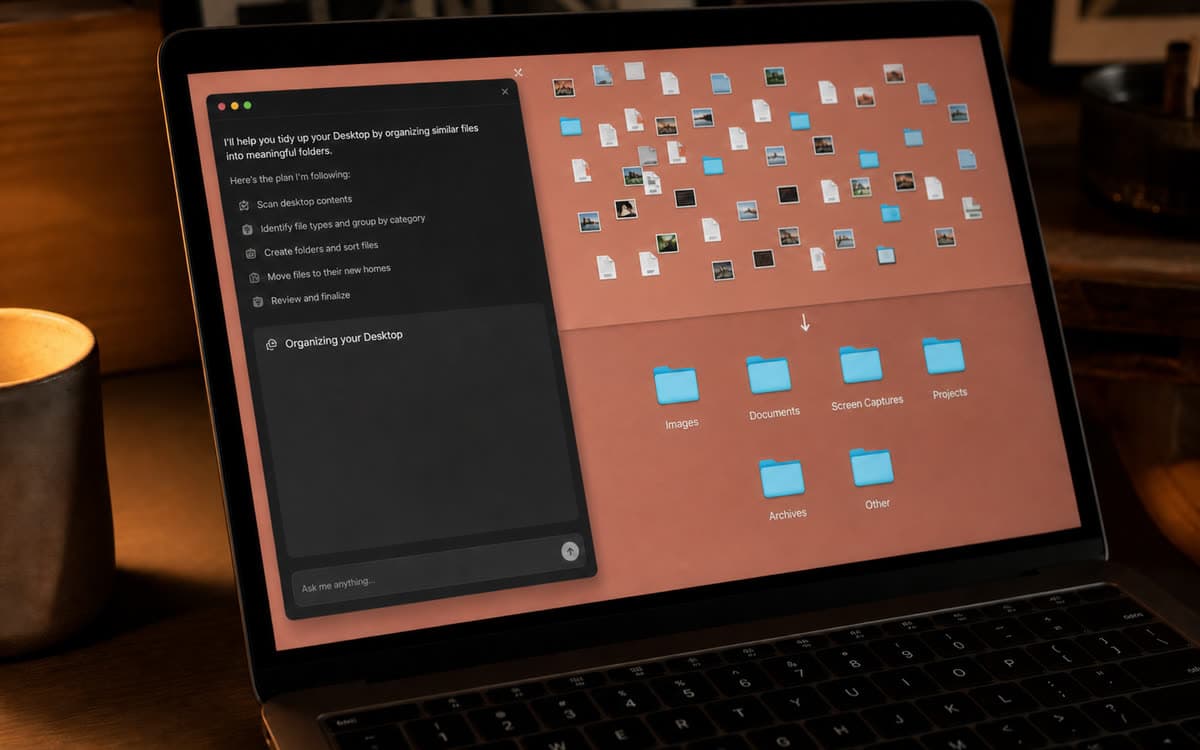
A desktop AI agent working through a scattered Desktop: it lists its plan, then the loose screenshots and files resolve into folders including Images, Documents, Screen Captures and Projects.

01Personal AI system

My Sunday File Reset

My Desktop, Downloads and Documents had become a pile of screenshots and loose files. I used a desktop AI agent to organize what was already there, changed where new captures are saved and scheduled a Sunday cleanup so the mess does not keep coming back.

Role
Built for myself; the maintenance now runs every Sunday.
Started with
A slowing Mac, a Desktop buried in screenshots and useful files mixed with things I no longer needed.
What changed
Screenshots and recordings now land in one place, and my Documents folder gets organized every Sunday.
Behind it
A desktop AI agent separated screenshots, PDFs, documents and disposable clutter. I moved the default capture destination to Documents/Screen Captures, saved a simple map of the folder structure as reusable context and later used that map to schedule the weekly cleanup.
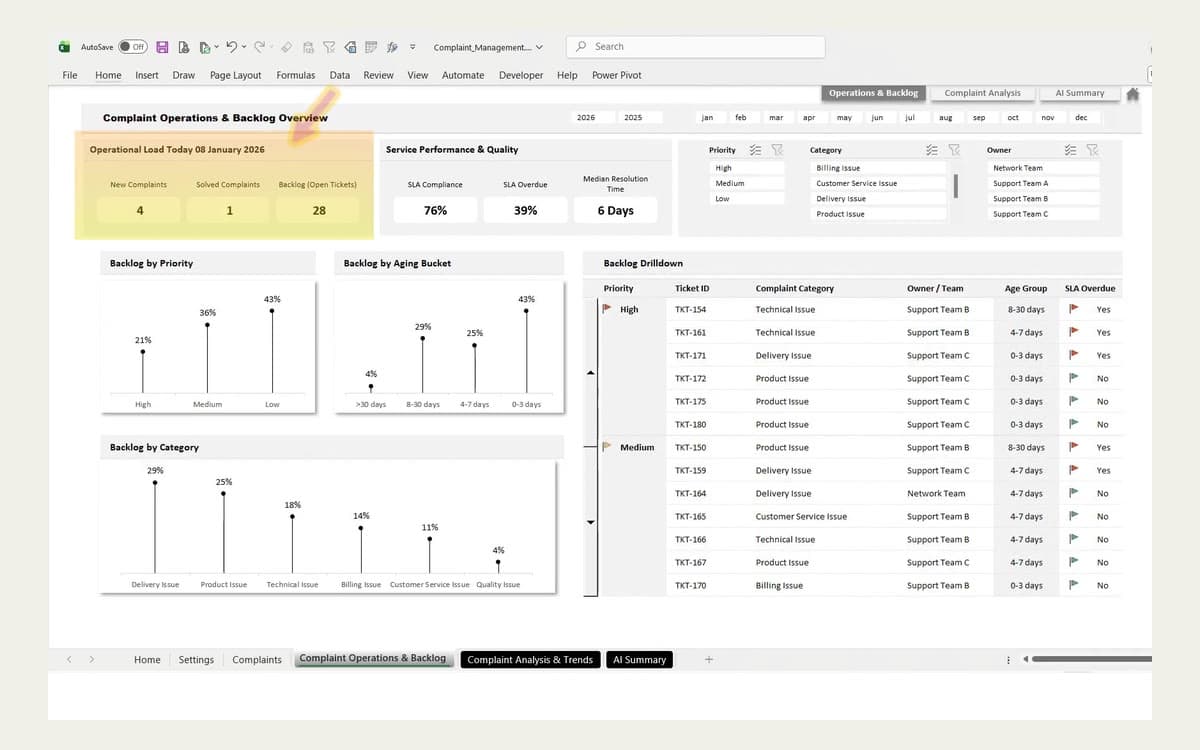
A reporting dashboard built on prototype data: an operations overview with load counters, service-quality percentages, backlog charts by priority, age and category, and a drilldown table of tickets.

02Client AI system

AI Client Reporting System

The client was spending too much time pulling campaign data, drafting insights and assembling reports by hand. Now the data stays synced and the full weekly reporting workflow lives in one dashboard.

Role
Built for a client; shown with permission using prototype data.
Started with
Campaign data had to be pulled together manually before the client could write insights and prepare each report.
What changed
The client can pull the full campaign picture, draft insights and prepare a client-ready weekly report inside one dashboard.
Behind it
The system keeps campaign data synced in a single reporting view, organizes the metrics that matter and supports the move from raw data to drafted insights and a weekly client report.
An anonymized client website page flow: a headline about automating work, an integrations panel, a time-saved chart and a prominent search field. Identifying marks are hidden.

03Website

Completed Client Website

The redesigned website made navigation easier, kept visitors engaged for longer and brought the call to action into clear view—resulting in 23% more leads.

Role
Built for a client; shown anonymously with identifying details hidden.
Started with
Visitors were not staying long enough, navigation felt difficult and the primary call to action was too easy to miss.
What changed
Visitors now stay longer, navigation is easier, the call to action is properly visible and the website generates 23% more leads.
Behind it
The new page flow clarifies the offer, makes the next action obvious and helps visitors move through the website without friction. The client identity remains hidden throughout the case study.
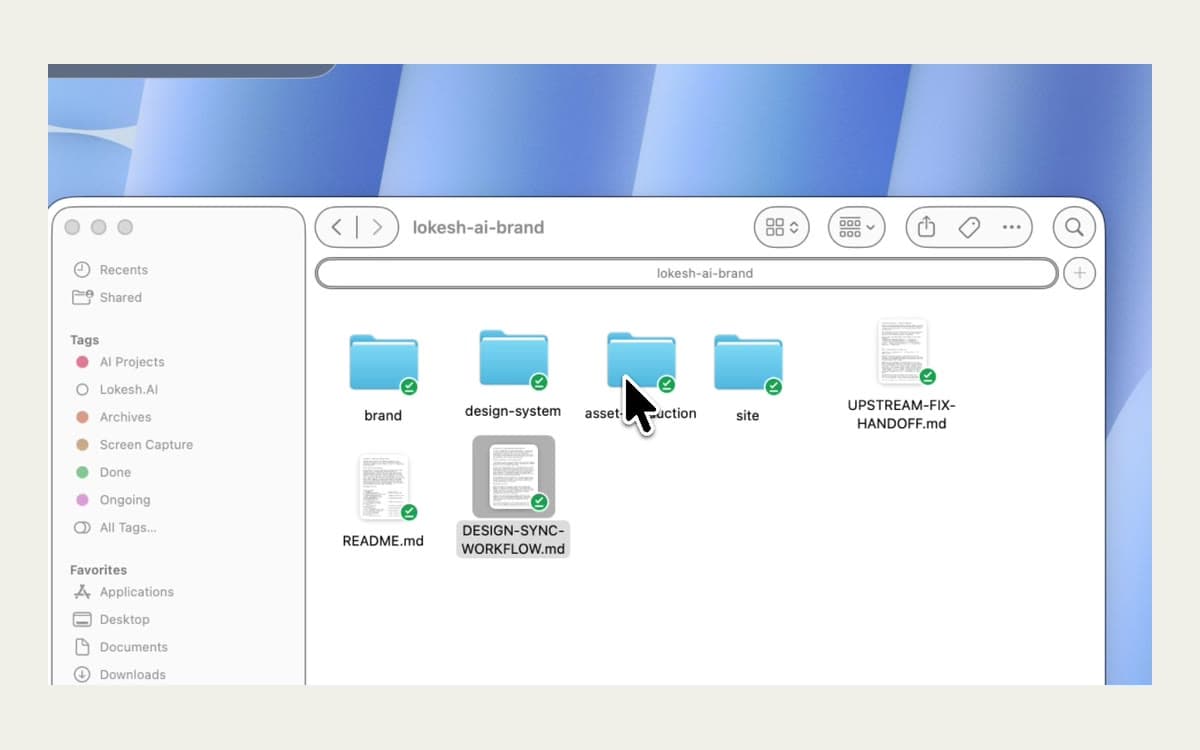
The real lokesh-ai-brand project folder in Finder — brand, design-system, asset-production and site folders alongside README.md, DESIGN-SYNC-WORKFLOW.md and UPSTREAM-FIX-HANDOFF.md.

04Multi-AI experiment

This Website Was a Shared Project

I used different AIs around the same project files—developing the story, design system, motion direction, media and final website without starting over at every handoff.

Role
Directed by me; built through shared files across AIs.
Started with
A discovery conversation, then a folder of locked decisions every tool could read.
What changed
Each handoff kept its context — the finished site is the proof you’re reading now.
Behind it
Story, voice and structure were locked as files; design exploration, motion direction and implementation each picked those files up. Rejected directions and asset requests stayed in the record — no single prompt made this site.

In their words

Small wins and business outcomes both count.

T-01

Client

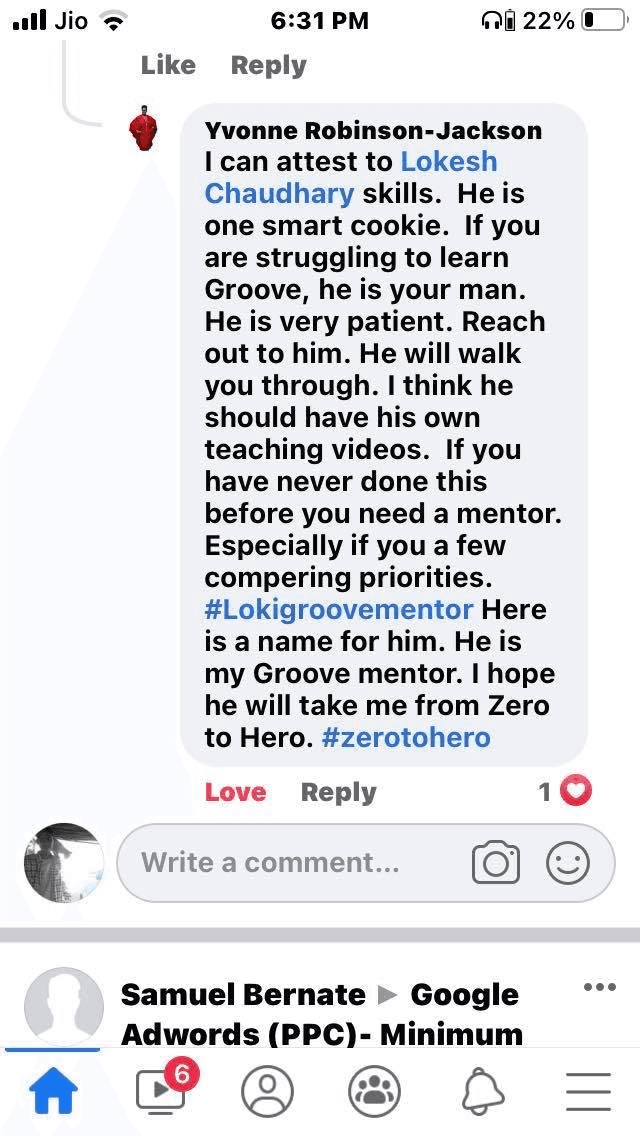
Real, permissioned quote being gathered — exact words, name and context will appear here. Nothing on this site is invented praise.

T-02

Client

Real, permissioned quote being gathered — exact words, name and context will appear here. Nothing on this site is invented praise.

T-03

Newsletter reader · collaborator · user

Real, permissioned quote being gathered — exact words, name and context will appear here. Nothing on this site is invented praise.

T-04

Newsletter reader · collaborator · user

Real, permissioned quote being gathered — exact words, name and context will appear here. Nothing on this site is invented praise.

A small break

I build things. Stack one.

A tiny arcade moment, built the same way as everything else here — one real idea, improved until it worked, then kept. It stays silent and still until you tap it.

My Newsletter

Read Once. Use AI Better All Week.

Important AI news, mergers, major updates and new tools — filtered and explained. Plus step-by-step tutorials, diagrams, PDFs, checklists, video explanations and complete learning folders when a subject needs more than an article.

Biweekly. Peer to peer. Unsubscribe anytime.

Read a sample issue at read.lokesh.ai ↗